Dashboard Design That Turns Data Into Clear Decisions
Juxify designs dashboards that help users understand complex information, investigate change and complete important tasks without fighting the interface.
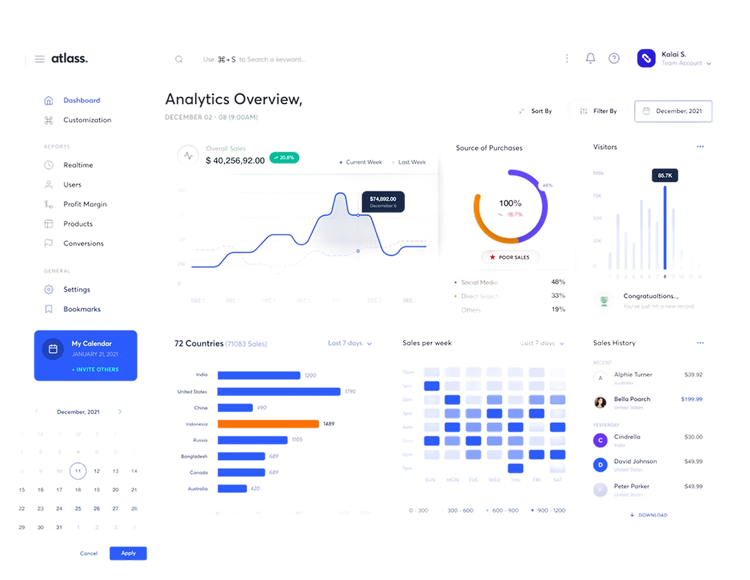
Trusted by startups, SaaS companies, AI businesses, healthcare platforms, fintech teams, and ambitious founders worldwide.
From Complex Data to Confident Decisions
A focused dashboard design process that connects user priorities, product workflows and complex information.
Data Discovery
Understanding users, decisions, workflows, data sources and product goals.
Dashboard UX
Organising navigation, information and actions around recurring user priorities.
Interface & Prototype
Creating clear visualisations, responsive layouts and interactive prototypes.
User roles determine which information deserves priority. Product goals and data constraints guide the structure from the beginning.
Wireframes organise metrics, filters, tables and actions around recurring tasks, making detailed information easier to scan and understand.
Approved structures become consistent interfaces with reusable charts, controls and components across desktop, tablet and mobile screens.
Organised specifications support accurate implementation, while continued testing reveals opportunities to improve comprehension, efficiency and everyday product use.
Handoff & Build
Preparing complete dashboard states for engineering or development within scope.
Launch & Improve
Refining the dashboard around implementation reviews, user behaviour and product evidence.
Clearer Dashboards. Faster Understanding. Better Decisions.
See What Matters First
A clear information hierarchy brings important metrics, trends and exceptions forward without overwhelming users with unnecessary detail.
Move From Overview to Action
Logical navigation, filtering and drill-down journeys help users investigate change and complete relevant tasks efficiently.

Support Different User Roles
Role-based views and permissions give each user access to the information and functionality appropriate to their responsibilities.

Handle Real Data States
Loading, empty, partial, error and restricted states keep the experience understandable when data is incomplete or unavailable.

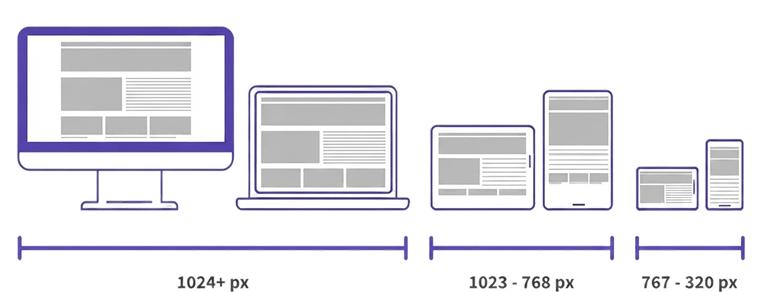
Work Across Screen Sizes
Responsive priorities protect essential information and actions across desktop, tablet and reduced-width interfaces.

Scale With the Product
Reusable charts, tables, filters, controls and interaction patterns support future reports, modules and product capabilities.
Product Thinking Beyond Dashboard Screens
An effective dashboard is not a collection of attractive charts. It is a working product interface that helps people understand information and act with confidence. Juxify connects user needs, data logic and interface design to create dashboards that remain clear as products, roles and requirements expand.
Complex Information Made Usable
We prioritise the information and actions users need instead of filling the interface with unnecessary widgets.
UX and UI Designed Together
Dashboard structure, workflows, visual hierarchy and interaction patterns are developed as one connected experience.
Experience Across Complex Products
Our SaaS, AI and enterprise product experience helps us simplify specialised workflows without removing essential capability.
Turn a Complex Dashboard Into a Clearer Product Experience
Create a dashboard that helps users understand information, complete tasks and make confident decisions. Work with one team for dashboard strategy, UX, interface design and development support tailored to your requirements.
Clearer Interfaces for Complex Data
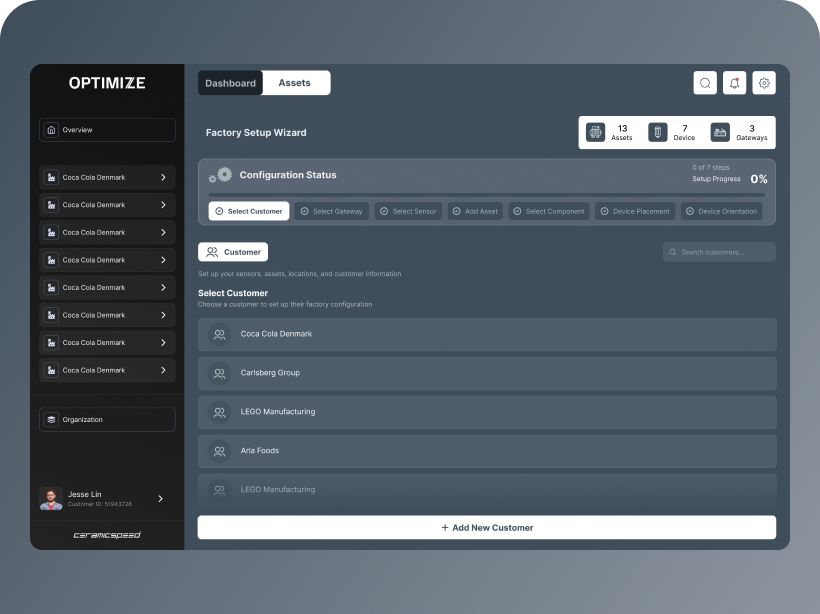
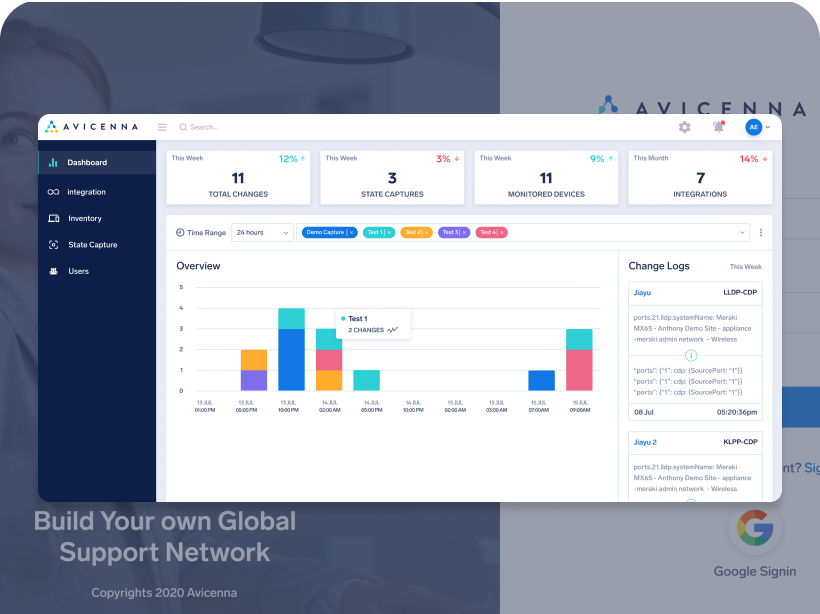
PROJECT DISCUSSION STRENGTH:
Discuss your project directly with us and get expert guidance
Share your business idea, project details, and requirements in a 1-hour discovery call. We'll help you understand the best approach, estimated cost, and timeline. Whether you're starting fresh or improving an existing project, we'll make sure it's a perfect fit for your goals.


Trusted by multiple happy clients worldwide

Jay Williams
Design Director
Select a Date & Time
Clear Answers About Dashboard Design
Dashboard design organises data, navigation and interactions into an interface that helps users monitor performance, investigate changes and complete relevant tasks.
Dashboard UI design defines how metrics, charts, tables, filters, alerts and controls are visually presented and used within the product.
A good dashboard has a defined audience and purpose. It prioritises relevant information, uses appropriate visualisations and provides a clear route from overview to detail and action.
Modern dashboard design combines clear hierarchy, responsive layouts, accessible visualisation and purposeful interactions. It focuses on current user needs rather than copying visual trends.
Yes. We can review its hierarchy, navigation, workflows, visual patterns and usability before redesigning priority areas or the complete dashboard experience.
Yes. We can create role-specific views, workflows and permissions when user responsibilities and data-access requirements are clearly defined.
Yes. We can extend existing components and patterns or create dashboard-specific additions while maintaining consistency across the wider product.
Relevant loading, empty, partial, error, permission and success states can be included. The required states are confirmed according to the product and project scope.
Yes. Prototypes can communicate interactions, support stakeholder reviews and test important workflows before development begins.
Yes. We define which information and actions matter at each screen size instead of simply compressing the complete desktop dashboard.
Juxify has a development team and can include development depending on your requirements, data architecture, integrations and agreed technology. We can also collaborate with your existing engineers.
Timing depends on user roles, workflows, data complexity, number of views, research requirements, testing and the required design system.
Cost depends on the number of roles, screens, states, visualisations and responsive requirements, as well as whether development is included.
Yes. We can prioritise the essential users, metrics and workflows for an initial release while creating a foundation that can expand with the product.